

Certain citizens can request an activation letter for Cl@ve to be sent to their Home Address. In just the click of a button you can request this and in a maximum period of 2 working weeks you will receive a letter you can use to start you Cl@ve access. If you are in a rush to get access to Cl@ve it’s best to book an in-person appointment and sort it as soon as possible - If that’s your case, move to Step 2.
Having said that, many Expats who’ve recently arrived in Spain are not able to request the activation code online. If you’d like to check if you can request this, follow these steps:
1. Go to https://sede.agenciatributaria.gob.es/Sede/clave.html and Click on “Registrarse en Cl@ve” and add your NIE or ID Number.
2. A new field will appear for you to add your “Número de Sorporte”. Here’s how to find and write it:
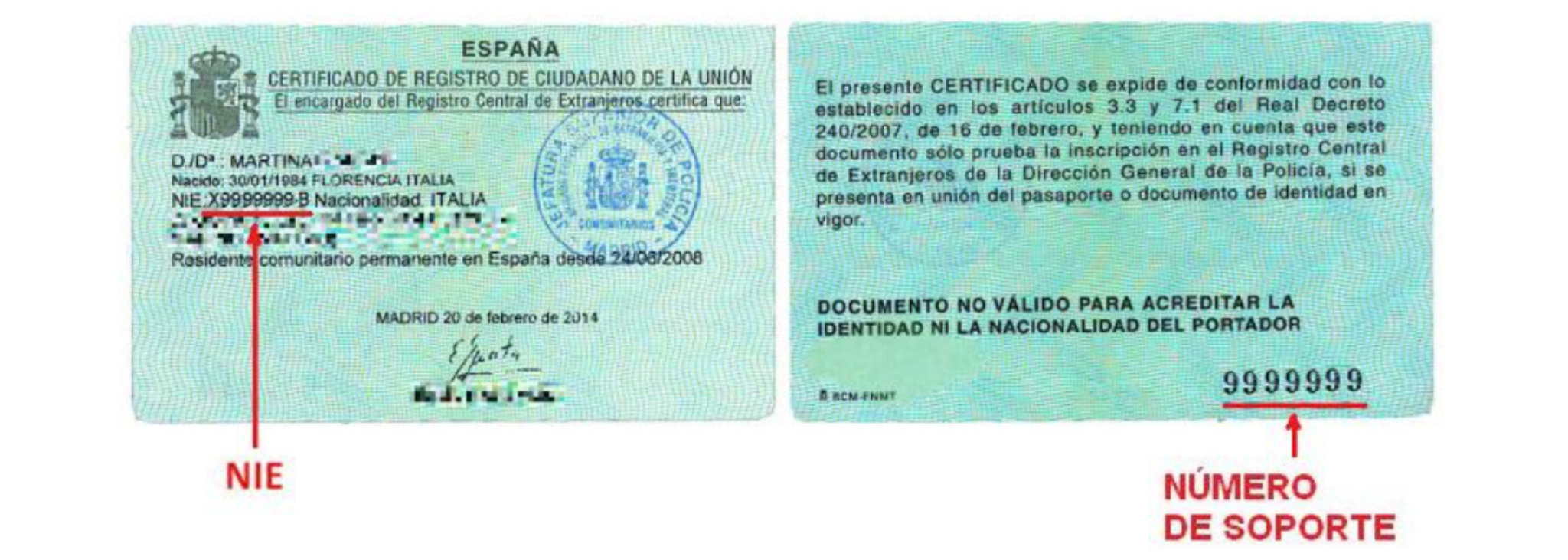
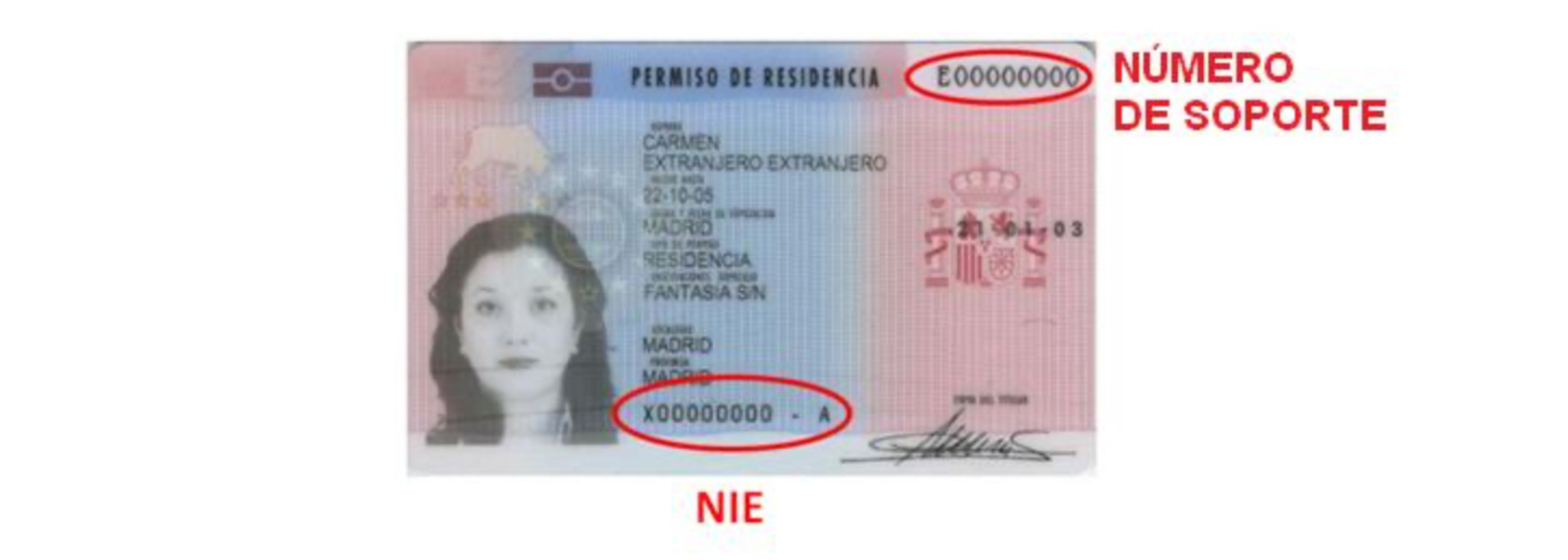
When you access, you’ll see a button that allows you to request access via letter “con carta de invitación” - Click on it, and you’ll either be greeted by a Success Message, or an error message saying they cannot send you a letter.
If you’re unable to register online, or need to get access ASAP - Then booking an in-person appointment will be the best way to get access Cl@ve.
To book an appointment, go to this website.
1. Add your NIE, and your Name and Surnames, then click “Siguiente”
2. Click “Identificación Electrónica”
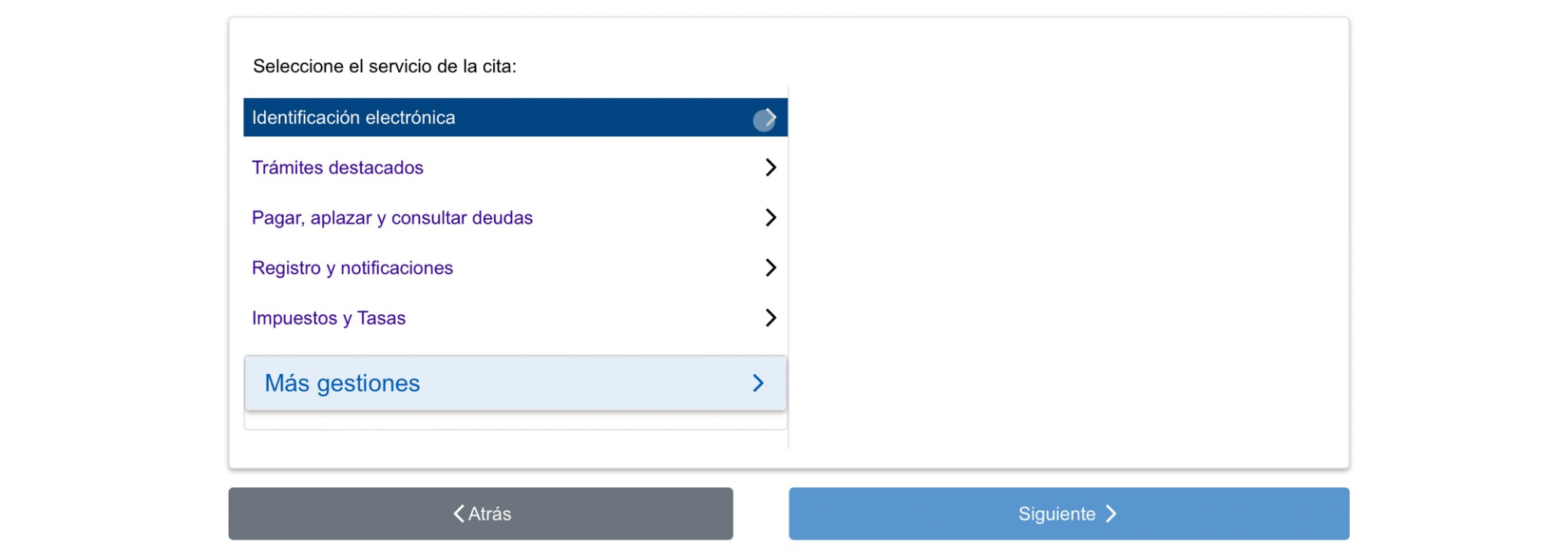
3. Click “Registro en Cl@ve”
4. A pop up will come up with a dropdown for you to select the Municipality where you live
5. A list of available offices will show, with dates and times available - Select one, then click “Confirmar cita”
6. To confirm your appointment, add your personal details, including your phone number and email address. Your phone number can be an international one, as long as you add the correct country code.
You’re sorted! 🥳 You’ll have to attend your appointment, and take with you the following things:
At the appointment, they will register you for the Cl@ve System and provide you with an activation code you’ll use later to complete your registration. Move on to Step 3 to complete this.
At the appointment you will be given a paper containing an activation code and the instructions on how to activate it:
1. Go to https://clave.gob.es/activar
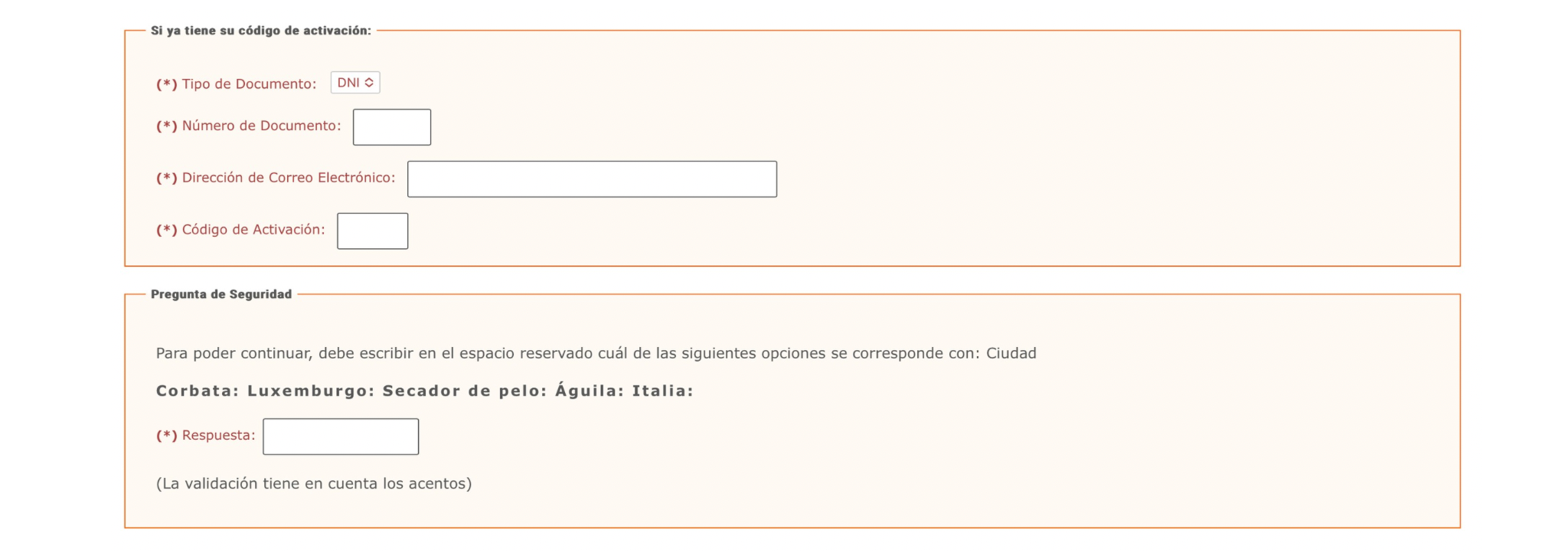
2. Fill in the fields as per the following:
3. In Pregunta de seguridad it will give you a category and a series of words to verify you’re a human, you have to write in the typing box the word that falls under that category. In the screenshot below, for example, the category is “Ciudad”, which means city. Therefore, the answer is “Luxemburgo”
4. Click “Siguiente” to complete the activation. You’ll be taken to a screen where you can create a password associated to your account that you can use in the future to log into Cl@ve.
Congrats! You now have access to Cl@ve 🥳
Lastly, you’ll want to download the App “Cl@ve Movil” as it will simplify your access to Cl@ve in the future. Look for the app in your App Store and go into it:
1. Add your NIE Number
2. A new field will appear for you to add your “Número de Sorporte”. Here’s how to find and write it:
3. You’ll be taken to a screen to verify your account on your Movile. Click “Verificar con código SMS”, and they will send you a text message to the phone number you registered with during your appointment. Write the code they sent you on the App and you’ll be verified and good to start using the app when you need!
